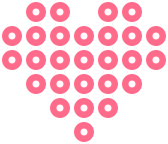
The short answer: almost any image becomes a bead pattern. Logos, cartoon characters, illustrations, and even text work well. Upload it to the pattern maker, choose the grid size and colors, and it returns a buildable grid.
Not every image converts equally well. Flat graphics with bold outlines convert far better than soft photos with gradients. The simpler the shapes, the better the beads.
Images that work best
- Logos: bold shapes and limited colors convert almost perfectly.
- Cartoons and stickers: thick outlines survive pixelation.
- Text and initials: block letters are already grid-shaped.
- Transparent PNGs: no background means no wasted beads.
- Icons and emoji: designed small, they scale up cleanly.
- Photos: workable, but crop tight and limit colors first.
The conversion steps
- Open the pattern maker and upload the image.
- Set the grid size to match your board.
- Limit the color palette to the beads you own.
- Check the preview and fix muddy areas by hand.
- Download the grid with counts and start building.
Need a design that does not exist as an image yet? The AI generator creates pixel grids from a text description. Finished conversions can be saved to the pattern library for later.